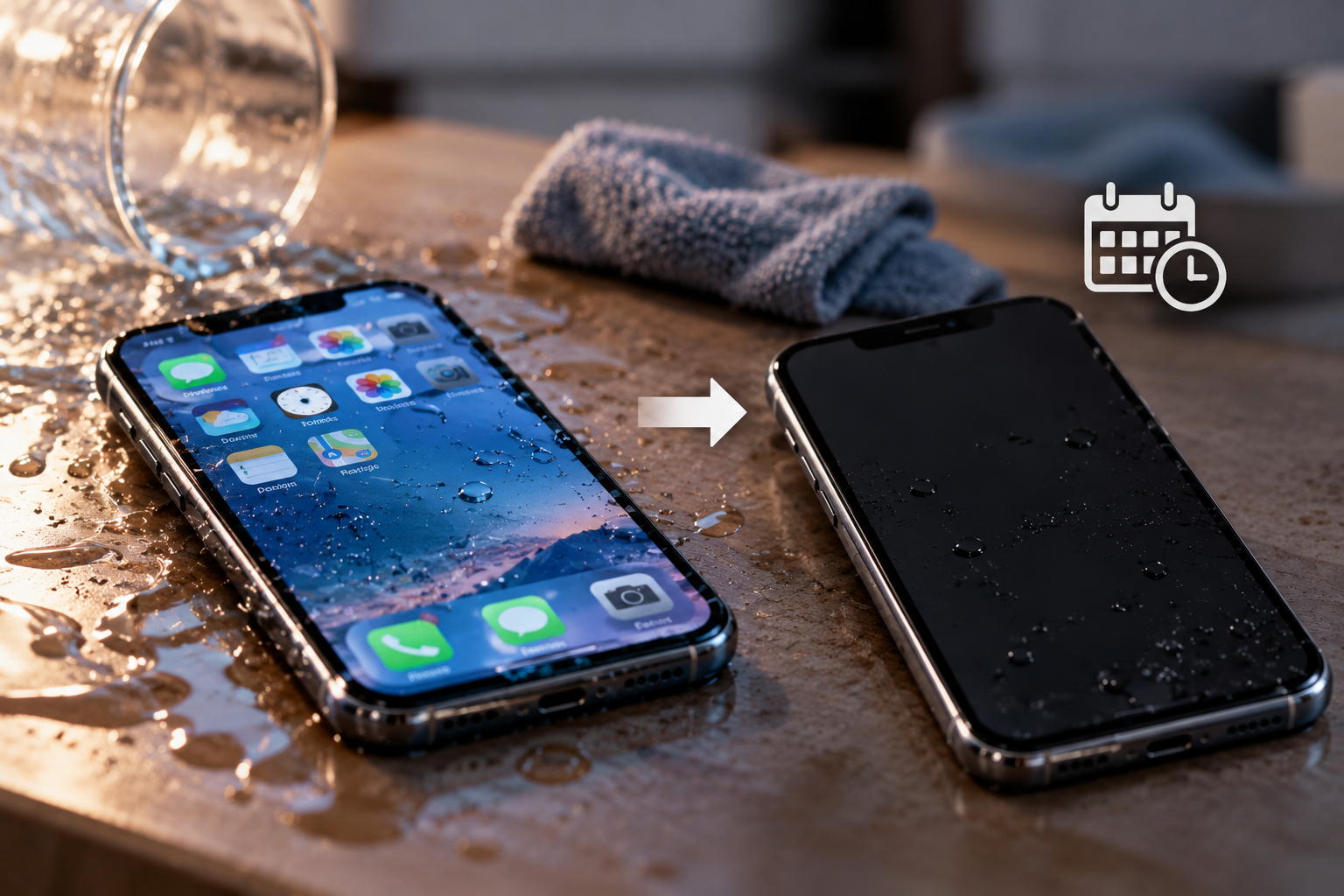
A phone can keep working immediately after getting wet and still fail days later because liquid damage does not always cause an instant short circuit. Moisture, minerals, sugars, and other contaminants can remain inside the device after the outside looks dry. Over time, that residue can corrode connectors, weaken electrical pathways, damage the battery, or interfere with the logic board.
At Conner Phone Fix, we see devices that seem normal at first and later develop charging problems, battery drain, camera faults, overheating, random restarts, or a complete loss of power. Delayed failure is why we recommend taking water exposure seriously.
If you are wondering whether a water-damaged phone can still be repaired, the answer depends on what liquid entered the device and which components were affected.
Why Can Water Damage Be Delayed?
Water damage can start a process that continues after visible moisture disappears.
Tap water, rain, drinks, and saltwater can leave substances on internal components. After evaporation, minerals and residue may remain on connectors, solder joints, charging circuits, camera modules, and the logic board.
These contaminants can create corrosion or unstable electrical resistance. A connection may work normally today but become unreliable as corrosion develops. That is why a phone may continue charging immediately after exposure, then begin failing several days later.
What Happens Inside a Phone After It Gets Wet?
Modern smartphones contain tightly packed electronics with small connectors and exposed conductive surfaces. Liquid can travel through speaker openings, charging ports, SIM trays, cracked glass, damaged seals, or gaps created by previous repairs.
Once moisture reaches the inside, it can settle around components that were never designed to operate while wet. If electricity continues flowing through contaminated areas, electrochemical reactions can accelerate corrosion.
The phone does not need to be submerged. Rain, spills, or liquid entering through damaged housing may be enough to affect internal components.
Why Does Corrosion Cause Problems Days Later?
Corrosion is one of the biggest reasons delayed phone failure occurs.
A small amount may not immediately stop a component from working. Instead, it can gradually weaken metal contacts or create resistance in circuits that need a clean electrical connection.
Corrosion around the charging system may cause intermittent charging. Damage near camera connectors can cause blurry images or camera failure. Corrosion around audio components may affect microphones or speakers. Board-level corrosion can cause random shutdowns or no-power conditions.
Drying a phone does not automatically reverse this damage.
Can a Phone Look Dry but Still Have Moisture Inside?
Yes. The outside can look completely dry while moisture remains trapped internally.
Modern phones have shields, adhesive, and small spaces where liquid can remain longer than expected. Moisture can collect under connectors where it is not visible without opening the device.
Placing the phone near a fan may help surface moisture evaporate, but it cannot confirm that internal areas are dry or free of residue. The same applies to putting a wet phone in rice. Rice cannot remove corrosion or clean internal contamination.
What Symptoms Can Appear After Water Exposure?
Delayed liquid damage can show up in several ways. The phone may begin charging slowly, disconnecting from the charger, draining its battery quickly, restarting without warning, or becoming hotter than normal.
Screen problems can appear as flickering, lines, dark spots, touch issues, or a display that stays black. Cameras may become foggy or stop opening. Speakers can sound muffled, while microphones may become unreliable during calls.
A device that begins overheating after liquid exposure should be taken seriously. Heat can indicate battery damage, abnormal power consumption, or a shorted component. If the phone becomes very hot, smells unusual, or starts swelling, stop using and charging it.
Why Can Charging Make Water Damage Worse?
Charging a wet or contaminated phone can add electrical stress to damaged areas.
If moisture or conductive residue is present around the charging port, battery connector, or logic board, applying power can create shorts or accelerate corrosion.
This does not mean every phone charged after getting wet is permanently damaged. The risk is simply higher before the internal condition is known.
If unusual charging behavior starts after liquid exposure, disconnect the phone from power and have it inspected rather than repeatedly plugging it in.
Can the Battery Be Damaged Even If the Phone Still Works?
Yes. Liquid exposure can affect the battery, battery connector, or surrounding power-management components.
The phone may keep operating while the battery behaves differently. You might notice faster drain, unexpected shutdowns, unstable battery percentages, slow charging, or excessive heat.
A swollen battery is more urgent. If the screen or back cover starts lifting away from the frame, do not press it back down. Stop charging the device and arrange professional inspection.
What Should You Do If the Phone Starts Failing Days Later?
If problems begin after a known water incident, tell the repair technician about the exposure even if the phone worked normally afterward. Symptoms that appear days later may still be connected to corrosion from the earlier incident.
Avoid repeatedly restarting, charging, heating, or opening the phone yourself. If important photos, authentication apps, work files, or other information are stored only on the device, make data preservation a priority.
If the phone is stable enough to create a backup safely, back up important information. If it is overheating or repeatedly shutting down, continued use may increase the chance of further failure.
How We Diagnose Delayed Water Damage
At Conner Phone Fix, our phone repair process starts with the history of the problem. We want to know what liquid was involved, when the exposure happened, whether the phone remained powered on, and what symptoms appeared later.
We inspect the charging port, screen, battery behavior, cameras, speakers, microphones, and other functions that provide clues. When necessary, we open the device to inspect internal connectors and logic-board areas for corrosion or damage.
A proper diagnostic helps separate a replaceable-part problem from a board-level fault. A charging issue, for example, may come from a damaged port, battery failure, or internal charging circuitry.
Can Delayed Water Damage Still Be Repaired?
Often, yes, but the outcome depends on the extent and location of the damage.
Some phones may need cleaning and replacement of a damaged battery, charging port, screen, speaker, or camera. More serious cases may require board-level diagnosis or microsoldering.
The longer corrosion progresses, the more complicated a repair can become. However, the age of the water incident alone does not determine repairability. We evaluate the actual condition before recommending the next step.
Get a Water-Damaged Phone Checked in Detroit
If your phone worked after getting wet but is now charging poorly, draining quickly, overheating, restarting, or refusing to turn on, the earlier liquid exposure may still be responsible.
Conner Phone Fix provides diagnostics and phone repair services for customers in Detroit and surrounding areas. We can inspect the device, identify signs of corrosion or component damage, and explain the repair options based on what we find.
Do not assume a phone is safe simply because it survived the first day after getting wet. Delayed water damage is possible, and early diagnosis may help prevent a developing problem from becoming more severe.
Contact Conner Phone Fix to book an evaluation if your phone has started behaving differently after water exposure.