
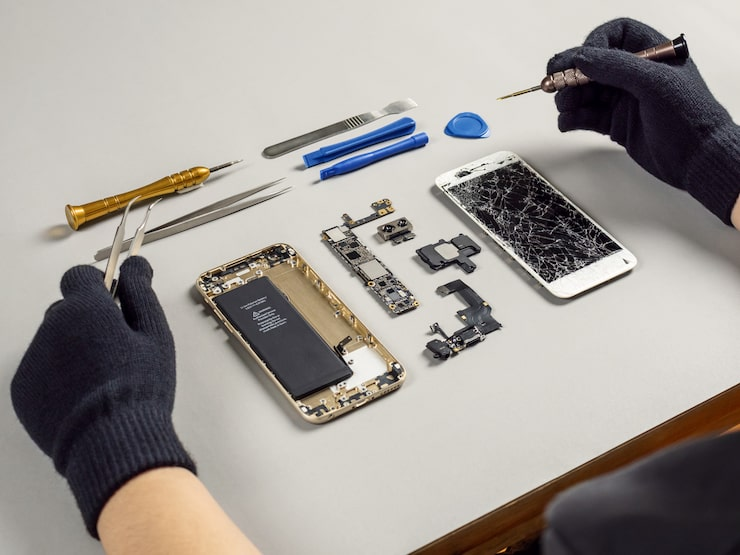
An Android phone that repeatedly overheats and shuts down may be dealing with more than normal heavy use. High-demand apps, a failing battery, charging problems, blocked heat dissipation, damaged internal components, or motherboard-level faults can all cause excessive heat.
Some warmth is normal when gaming, recording video, navigating with GPS, installing updates, or charging. The problem becomes more serious when the phone gets unusually hot during basic use, displays temperature warnings, restarts without warning, or powers off completely.
If the problem continues after basic troubleshooting, an Android phone overheating repair may be necessary to identify the source of the heat and prevent further damage.
Why Does an Android Phone Get Hot?
Smartphones naturally generate heat when the processor, battery, display, camera, and wireless components are working. The phone is designed to move that heat away from sensitive internal parts.
Problems develop when the device produces more heat than it can safely release.
The cause may be software-related, such as an application continuously using the processor in the background. It may also be physical, including a weak battery, damaged charging circuit, blocked ventilation around internal components, or motherboard failure.
The pattern of overheating often provides useful diagnostic clues.
For example, a phone that becomes hot only while gaming may simply be under heavy load. A device that becomes extremely hot while sitting unused is more concerning and should be inspected.
Can Heavy Apps Cause Overheating?
Yes. Certain applications place a significant workload on the processor, graphics chip, wireless connection, and display.
Common examples include gaming, video editing, navigation, livestreaming, video calls, augmented reality, and high-resolution camera applications.
Overheating can also occur when an app malfunctions and continues running heavily in the background.
You may notice that the phone:
- Becomes hot shortly after opening a particular app
- Loses battery rapidly
- Slows down before shutting off
- Restarts during gaming or video use
- Feels cooler after the application is closed
Check the battery and device-care settings to see whether one application is using an unusually large amount of power.
Updating, reinstalling, or removing the problem application may help. If overheating continues across several apps or during normal use, hardware should also be considered.
Can a Failing Battery Cause the Phone to Overheat?
A degraded or damaged lithium-ion battery can generate excessive heat.
As batteries age, their ability to store and deliver power changes. Physical damage, manufacturing defects, repeated exposure to high temperatures, or improper charging can also accelerate deterioration.
Possible battery-related symptoms include rapid battery drain, unexpected shutdowns, unusually slow charging, large jumps in battery percentage, and heat around the back of the phone.
One particularly important warning sign is battery swelling.
If the screen or rear cover begins lifting away from the frame, stop using the device and avoid charging it. Do not squeeze the phone, press the screen back into place, puncture the battery, or attempt to remove it without appropriate training.
A swollen battery should be professionally replaced.
Can Charging Problems Cause Overheating?
Charging places additional electrical demand on the phone, so problems in the charging system can create heat.
Possible causes include a damaged cable, incompatible charger, worn charging port, corrosion, battery damage, or an internal charging-circuit problem.
If the phone becomes unusually hot only while plugged in, disconnect the charger and inspect the accessories.
Try a known-compatible charger and cable. If the problem continues, the phone itself may require diagnosis.
Watch for symptoms such as intermittent charging, a loose charging connection, charging that stops unexpectedly, or heat concentrated around the charging port.
Avoid continuing to charge a device that becomes extremely hot. Repeated overheating can accelerate battery degradation and damage nearby components.
Can a Phone Case Cause Overheating?
A case does not usually create the underlying fault, but a thick or poorly ventilated case can make it harder for the phone to release heat.
If the device becomes warm during gaming, navigation, or charging, remove the case temporarily and place the phone on a cool, dry surface.
Do not place it in a freezer, refrigerator, or directly against ice. Rapid temperature changes can create condensation inside the device and cause additional damage.
Letting the phone cool naturally is safer.
If the device overheats during ordinary tasks even without a case, the cause is likely elsewhere.
What Does Blocked Heat Dissipation Mean?
Modern phones use internal materials, metal frames, thermal pads, and other structures to move heat away from processors and power components.
Drops, previous repairs, damaged internal parts, improper reassembly, or deteriorated thermal material can interfere with this process.
A phone may then become hot in a specific area even when the processor is not working unusually hard.
Because these components are internal, confirming a heat-dissipation problem generally requires disassembly and inspection by a technician.
This is one reason repeated factory resets may not solve an overheating problem. Software changes cannot repair damaged thermal materials or internal hardware.
Can Water Damage Cause an Android Phone to Overheat?
Yes. Liquid exposure can cause corrosion, electrical resistance, and short circuits inside the device.
A phone does not need to stop working immediately after getting wet. Corrosion may develop gradually, causing charging problems, battery drain, overheating, random restarts, or complete failure later.
If your phone became hot after exposure to water, rain, humidity, or another liquid, stop charging it and arrange an inspection.
Do not rely on rice to solve internal moisture or corrosion. Drying the outside does not remove residue from connectors and electronic components.
Can Motherboard Damage Cause Overheating and Shutdowns?
Motherboard or logic-board problems can cause severe overheating.
The board contains the phone’s processor, charging circuits, power-management components, storage, and many other critical parts. Damage to one of these areas can cause abnormal electrical behavior.
A technician may suspect a board-level problem when the phone overheats even when idle, shuts down immediately after powering on, consumes excessive current, has no obvious battery fault, or has previously experienced liquid or impact damage.
Advanced diagnostics may require measuring power consumption, inspecting components under magnification, or testing individual circuits.
Board-level repair should be performed by someone with appropriate micro soldering experience and equipment.
What Should You Try Before Bringing the Phone in for Repair?
If the phone is warm but still operating normally, several safe troubleshooting steps may help.
First, close demanding applications and restart the device. Check whether the overheating returns.
Next, review battery usage and uninstall or update any application consuming unusually high power.
Install available operating-system updates, provided the phone can do so without overheating.
Reduce screen brightness, disable unnecessary location or hotspot functions, and avoid gaming or recording video while charging.
Remove the protective case temporarily and allow the phone to cool naturally.
If the device continues overheating after these steps, professional testing is more appropriate than repeatedly resetting the phone.
When Should You Turn the Phone Off Immediately?
Some overheating symptoms should not be ignored.
Power the device down and stop charging it if:
- The phone is too hot to hold comfortably
- The battery or rear cover appears swollen
- The screen is lifting from the frame
- You smell a chemical or burning odor
- The device becomes extremely hot while idle
- It repeatedly shuts down within minutes
- The phone became hot immediately after liquid exposure
- The charging port appears burned or discolored
Continuing to use or charge the device may increase the risk of battery or internal component damage.
What Does a Professional Overheating Diagnostic Check?
A proper Android phone overheating repair should begin with diagnosis rather than immediately replacing parts.
A technician may first review when the overheating occurs and whether the phone has experienced drops, liquid exposure, charging problems, or previous repairs.
The battery can then be evaluated for swelling, abnormal voltage, excessive drain, or unstable charging behavior.
Charging accessories and the charging port should also be tested.
The technician may inspect the phone for corrosion, damaged connectors, loose components, thermal issues, or evidence of prior internal repair.
When necessary, current draw and board-level power behavior can be measured to determine whether an internal circuit is consuming abnormal power.
Software should also be considered. If the hardware appears normal, application activity, storage problems, firmware issues, or other system behavior may be responsible.
The objective is to identify the actual source of the heat before recommending a repair.
Can Overheating Permanently Damage an Android Phone?
Repeated excessive heat can reduce battery life and place additional stress on internal electronic components.
Phones include temperature-management systems that may reduce processor performance, dim the display, pause charging, restart the device, or shut it down to protect the hardware.
These protections help, but they should not be treated as a permanent solution.
If your phone frequently reaches the point where it must shut itself down, the underlying problem should be investigated.
Get Android Phone Overheating Repair in Detroit
An Android phone that becomes slightly warm during demanding use is not automatically damaged. Repeated overheating, rapid battery drain, charging problems, unexpected restarts, or shutdowns are different.
Conner Phone Fix provides Android phone diagnostics and repair services for customers in Detroit and surrounding areas. A technician can evaluate the battery, charging system, internal components, software behavior, and motherboard to determine what is causing the excessive heat.
Tell the technician when the overheating occurs, whether the phone was dropped or exposed to liquid, which charger you normally use, and whether the device has been repaired previously.
A proper Android phone overheating repair starts with finding the cause. Once the problem is identified, the technician can explain whether the device needs battery replacement, charging-system repair, internal cleaning, board-level service, or another solution.