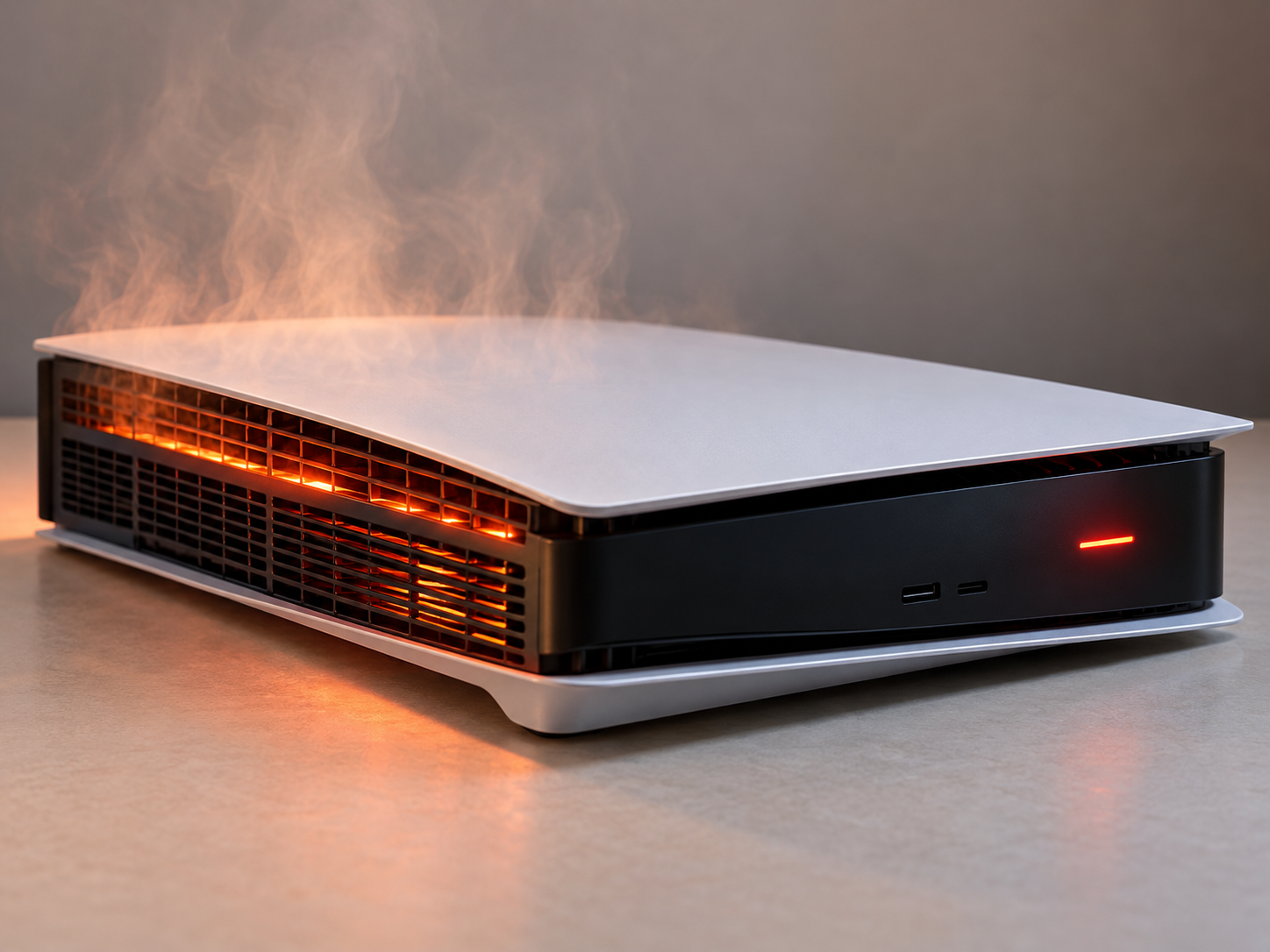
A game console that repeatedly overheats or shuts down is usually protecting itself from a condition it cannot safely manage. Dust buildup, blocked airflow, a failing fan, dried or displaced thermal material, power-supply problems, damaged sensors, or motherboard faults can all cause excessive heat or unexpected shutdowns.
At Conner Phone Fix, we treat overheating as a symptom rather than assuming every console simply needs cleaning. A proper diagnostic looks at when the shutdown happens, where heat is building, whether the fan is operating correctly, and whether the system is drawing power normally.
When Is Console Heat Normal?
PS5, Xbox, Nintendo, and handheld gaming systems all generate heat during normal use. Modern games can place heavy demand on the processor and graphics hardware, especially during high-resolution gameplay or long sessions.
Warm exhaust air is usually a sign that heat is leaving the console. The more concerning pattern is when the system becomes unusually hot, displays temperature warnings, suddenly powers off, becomes very loud, or repeatedly shuts down after a similar amount of play time.
A console that powers off during demanding games but stays on at the home screen may be struggling with cooling under load. A console that shuts down even while idle may have a broader power or board-level problem.
Can Dust Cause a Console to Overheat?
Yes. Dust can collect around vents, fans, heat sinks, and internal air channels. As buildup increases, the system has a harder time moving cool air through the console and carrying heat away from the processor.
Surface dust around the vents can sometimes be removed safely with the console powered off and disconnected. However, a heavily contaminated system may need to be opened so the cooling path can be cleaned properly.
Blowing debris deeper into the console or spinning the fan aggressively with compressed air is not a substitute for internal inspection. If dust is packed into the heat sink, cleaning only the outer vents may not solve the temperature problem.
What If the Cooling Fan Is Failing?
The fan is responsible for moving air through the console. If it slows down, stops, becomes obstructed, or develops a mechanical fault, internal temperatures can rise quickly.
A failing fan may make grinding, rattling, or scraping noises. In other cases, the console becomes quieter than expected because the fan is not spinning when it should. Some systems may increase fan speed dramatically as they struggle to control temperature.
During a game console repair diagnostic, we check whether the fan starts normally, responds to heat, and moves air through the system. A replacement may be needed when the fan itself is defective rather than simply dirty.
Why Thermal Material Matters
The processor transfers heat into a heat sink through thermal interface material. Depending on the console design, this may include thermal paste, pads, or liquid metal.
If that material is dried out, displaced, contaminated, or installed incorrectly after a previous repair, heat transfer can become less effective. The processor may then reach its thermal limit even when the fan is working.
This type of problem should be addressed carefully. Applying too much, too little, or the wrong thermal material can create another cooling issue. On consoles that use liquid metal, incorrect handling can also create electrical risk if the material reaches areas where it should not be.
Can the Power Supply Cause Random Shutdowns?
Yes. Not every shutdown is caused by overheating. A failing power supply can shut the console off under load when the system demands more power. Dust buildup around power-supply ventilation can also contribute to heat-related power loss.
Power faults often resemble thermal problems because both may appear after the console has been running for a while. The difference can only be confirmed through testing.
If the console turns off instantly without a temperature warning, refuses to power back on until it rests, or shuts down at inconsistent times, the power supply and motherboard should be considered along with the cooling system.
Does Placement Affect Console Temperature?
It can. A console needs open space around its vents. Placing it inside a tightly enclosed cabinet, directly against a wall, on thick fabric, or near another heat source can restrict airflow.
Make sure the console is on a stable surface with room for intake and exhaust. Avoid covering vents or stacking objects around the system.
If improving airflow immediately reduces the problem, placement may have been contributing. If the console still shuts down in an open environment, an internal issue is more likely.
What Can You Safely Try at Home?
Power the console off completely and allow it to cool. Check that the vents are not blocked and move the system into an open, well-ventilated location. Remove obvious surface dust without inserting tools into the console.
You can also install available system updates and test whether the problem happens with one game or across several. A crash limited to one title may be software-related rather than a thermal failure.
Stop troubleshooting if you smell burning, hear electrical popping, see melted plastic, or the console becomes extremely hot. Disconnect it from power and arrange professional inspection.
If the shutdown begins after a recent move, repair, or long period of storage, tell us. That timing can help narrow whether dust, fan obstruction, displaced thermal material, or a loose internal connection is contributing during testing.
How We Diagnose an Overheating or Shutting-Down Console
At Conner Phone Fix, we begin by asking when the problem occurs. We want to know whether the system shuts down during demanding games, after a predictable amount of time, immediately after startup, or only when certain accessories are connected.
We inspect the vents, fan, heat-management components, power system, and visible internal condition when necessary. We also consider whether the console has been dropped, exposed to liquid, opened previously, or repaired before.
The objective is to determine whether the problem is airflow, fan operation, thermal transfer, power delivery, or a motherboard fault. Replacing a fan will not fix a failing power supply, and cleaning alone will not solve damaged board components.
Why Post-Repair Testing Matters
An overheating repair should be tested under conditions that recreate the original problem. A console that stays on for five minutes at the menu has not necessarily passed a meaningful thermal test.
After service, the system should be allowed to reach normal operating temperature and be checked for stable fan behavior, consistent video output, normal power, and reliable operation under load.
That helps confirm that the repair addressed the cause rather than temporarily changing the symptom.
Game Console Overheating Repair in Detroit
If your PS5, Xbox, Nintendo system, or other console repeatedly overheats or powers off, do not keep forcing it through shutdown cycles. Repeated excessive heat can place additional stress on the power system and motherboard.
Conner Phone Fix provides gaming console repair and diagnostics for customers in Detroit and surrounding areas. We can inspect the cooling system, fan, thermal components, power supply, and motherboard to determine what is causing the shutdown.
Contact Conner Phone Fix to book an evaluation. We will identify the likely cause, explain the repair options, and test the system before returning it to you.