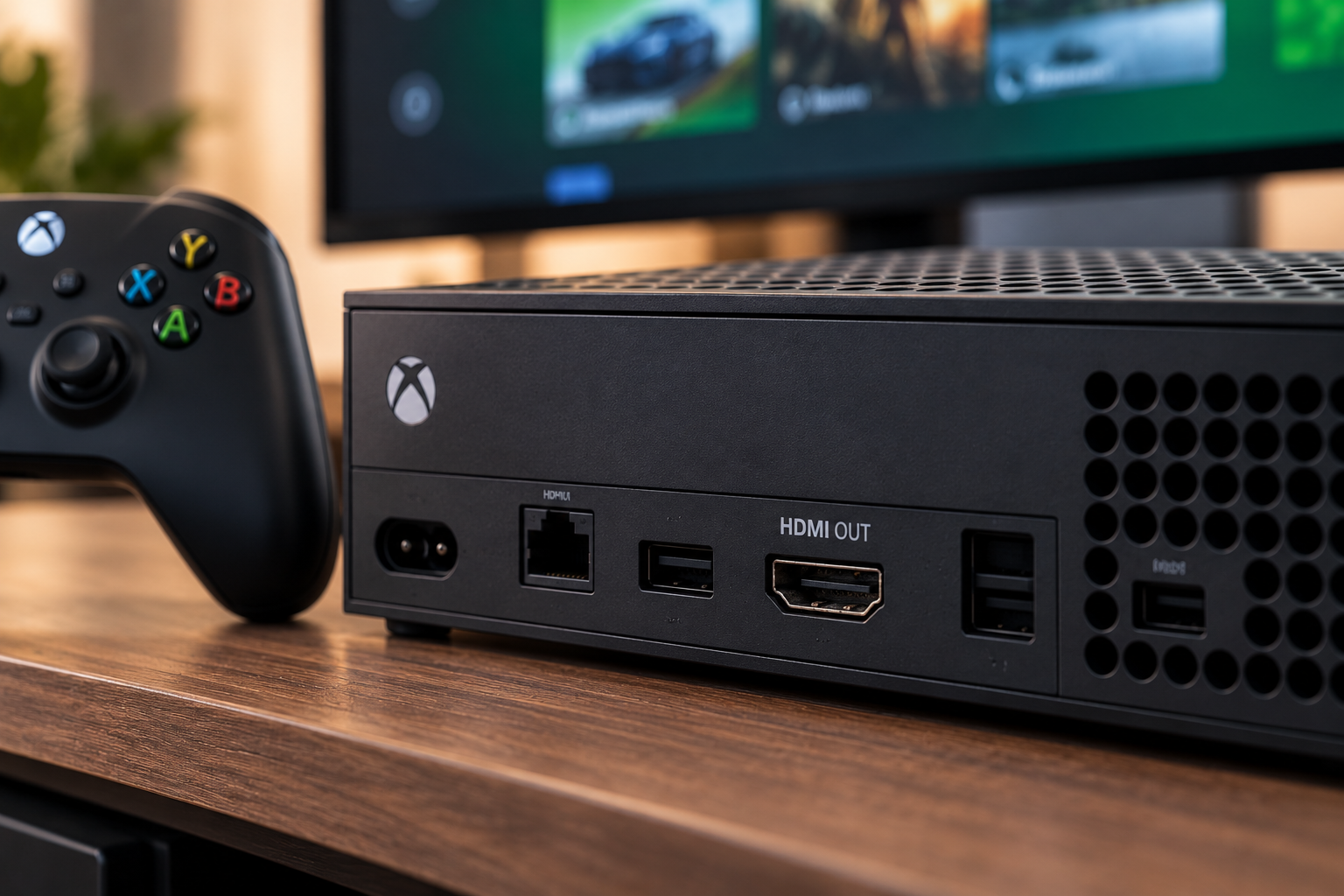
Yes. A broken Xbox HDMI port can often be repaired without replacing the entire console. The correct repair depends on whether the damage is limited to the physical HDMI socket or also affects the solder pads, board traces, filters, retimer circuitry, or other components in the video-output path.
At Conner Phone Fix, we do not assume every Xbox with a black screen needs an HDMI port. We first confirm that the console powers on, test the cable and display, inspect the connector, and look for signs of deeper board damage. That approach matters because an Xbox can show “No Signal” for several different reasons.
What Usually Damages an Xbox HDMI Port?
The HDMI port is built to handle normal cable changes, but it can be damaged by sideways force. One of the most common scenarios is moving the console while the HDMI cable is still connected. A cable can act like a lever and transfer force directly into the port and motherboard.
Damage can also happen when a connector is inserted at an angle, when a damaged HDMI cable is forced into the socket, or after the console falls from a shelf or entertainment center. Repeated pulling on a tight cable can gradually loosen the port even without one major impact.
On Xbox Series X, Series S, and Xbox One systems, the port is attached to the motherboard. That means a physically damaged connector can sometimes affect the solder joints or copper pads underneath it.
What Are the Signs of a Broken Xbox HDMI Port?
A damaged HDMI port may cause a completely black screen, a television message that says “No Signal,” an image that cuts in and out, or a picture that appears only when the cable is held in a certain position.
The cable may also feel unusually loose. Looking into the connector may reveal bent pins, pushed-back contacts, a crooked inner tongue, or a metal shell that has separated from the board.
However, visual damage is not required. The socket can look normal from the outside while solder joints underneath have cracked. That is why a proper diagnostic is more reliable than checking the port with a flashlight alone.
Rule Out the Cable and Display First
Before bringing the Xbox in, there are a few safe checks you can make. Try a known-working HDMI cable and verify that the television or monitor is set to the correct input. If possible, test the console on another display.
Remove HDMI switches, capture cards, soundbars, and AV receivers temporarily so the console connects directly to the screen. This helps eliminate another device in the signal chain.
If the Xbox displays normally with another cable or television, the console itself may not need repair. If several known-working setups still show no picture, the HDMI output system becomes a stronger suspect.
Could It Be a Video Setting Instead of Physical Damage?
Sometimes. Resolution, refresh rate, display-handshake problems, or corrupted video settings can create a blank screen even when the connector is intact.
If there is no visible port damage and the Xbox was not dropped or pulled by the cable, troubleshooting display settings may be appropriate. If the port is visibly loose or bent, avoid repeatedly moving the cable while trying different settings. Physical movement can worsen damage to solder joints or motherboard pads.
What Happens When the Port Is Damaged Internally?
The metal HDMI socket is only one part of the video path. Inside the connector are small contacts that carry high-speed digital signals. The port is soldered to the motherboard through multiple pins and structural anchor points.
When the cable is pulled hard, those connections can crack. In more severe cases, copper pads can lift from the motherboard or traces can be damaged. The console may then require more than simply installing a replacement socket.
This is why Xbox HDMI repair is a board-level job. The technician needs to remove the old connector without overheating the board, inspect the pads and surrounding components, install the replacement accurately, and confirm that every connection is solid.
Why DIY HDMI Port Replacement Can Make the Repair Harder
Replacing an Xbox HDMI port requires controlled heat, soldering equipment, magnification, and experience working around small board components. The motherboard absorbs heat differently from a simple circuit board, and excessive force can tear pads before the solder is fully released.
A damaged pad or trace can turn a straightforward port replacement into a more involved motherboard repair. Incorrectly aligned pins may also cause no picture, intermittent output, or short circuits after the new port is installed.
How We Diagnose an Xbox With No Picture
Our gaming console repair process begins with the symptoms. We ask whether the problem began after the console was moved, whether the cable was pulled, whether the image became intermittent first, and whether another cable or display has already been tested.
We then inspect the HDMI connector and test the system with known-working equipment. When the port appears damaged, we evaluate its physical condition and the board connections around it. If the socket looks intact, we do not replace it just to see what happens. We continue diagnosing the video-output path.
That may include checking for damaged pads, board-level components, or another fault that prevents the HDMI signal from reaching the television.
What Does Xbox HDMI Port Repair Involve?
When the HDMI port is confirmed as the failure point, the console is disassembled so the motherboard can be accessed. The damaged socket is removed using controlled heat and soldering techniques.
Before a replacement is installed, the board should be examined for missing pads, lifted traces, damaged filters, or signs that someone previously attempted the repair. Any board damage needs to be addressed before the new connector can work reliably.
The replacement port is aligned and soldered into place, then the console is reassembled and tested with a known-working display. We want to see a stable picture, a secure cable fit, and normal console operation before the repair is considered complete.
Can Board Damage Still Be Repaired?
Often, yes. A torn pad or damaged trace does not automatically mean the Xbox is beyond repair. Some board-level damage can be reconstructed through microsoldering, depending on the location and condition of the motherboard.
The repair becomes less predictable when there is severe physical damage, extensive corrosion, multiple missing components, or damage caused by repeated unsuccessful repair attempts. A diagnostic is the only responsible way to determine what is practical.
Xbox HDMI Port Repair in Detroit
If your Xbox powers on but the television shows no picture, start with a known-working cable and display. If the connection remains dead, the port feels loose, or the image cuts out when the cable moves, bring the console to Conner Phone Fix in Detroit.
We can inspect the HDMI port, test the video output, and determine whether the problem is the physical connector or something deeper on the motherboard. Our goal is to identify the actual fault before replacing parts.
If you need Xbox HDMI service, contact Conner Phone Fix to book an evaluation. We will explain what we find and what repair is appropriate for the condition of your console.